Free shipping on orders over $250. Get the plotter

An iPhone app for the AxiDraw pen plotter

Run your pen plotter from your iPhone.

Inkpilot drives an AxiDraw right from your phone, no Inkscape needed. Snap a worksheet and Claude fills in the answers, type a quick note, or send a stack of thank you cards. The plotter writes it all with a real pen on real paper.

Get the plotter

Coming soon to theApp Store

See how setup works

Free to start. Every paid plan comes with a 7 day free trial.

The Fill screen in Inkpilot
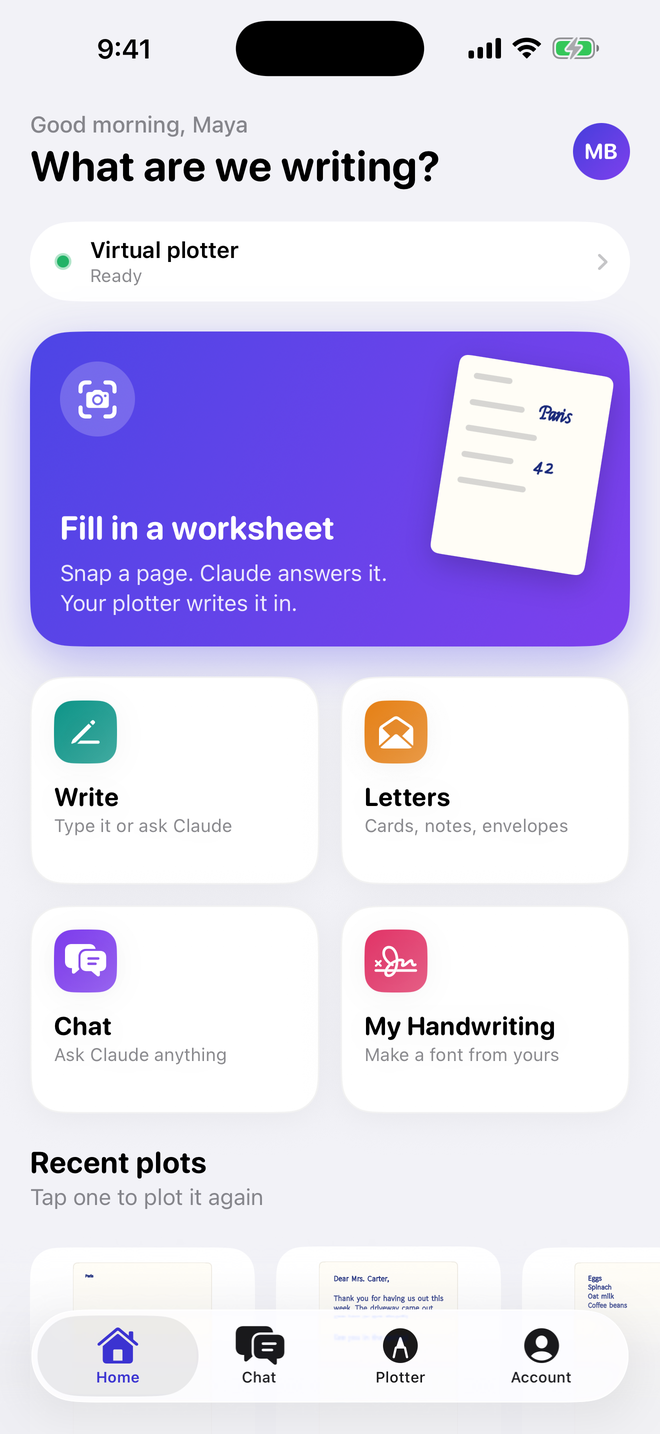
The Inkpilot home screen on an iPhone

What you can do with it

Five ways to get words onto paper, plus full control of the machine.

Fill

Snap a worksheet. Claude fills it in.

Take a photo of a worksheet or a form. Claude reads the page, works out the answers, and figures out where each one goes. You see every answer on top of your photo before anything gets written, so you can tap one to change it or drag it to a better spot.

  • Short answers or full sentences, plus notes for Claude if you want
  • Multiple choice answers get circled and checkboxes get checked
  • A setup checklist with a diagram shows exactly where the paper and pen go
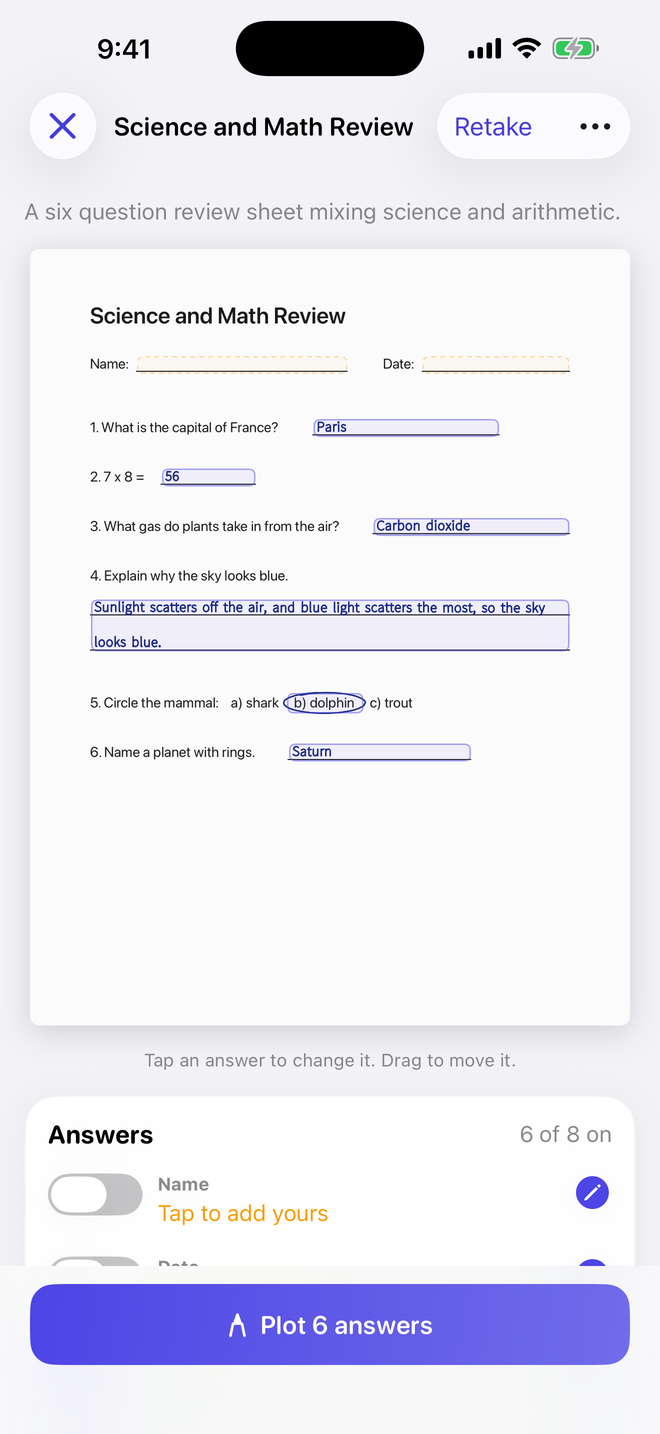
The Fill screen in Inkpilot

Write

Type it yourself, or ask Claude to write it.

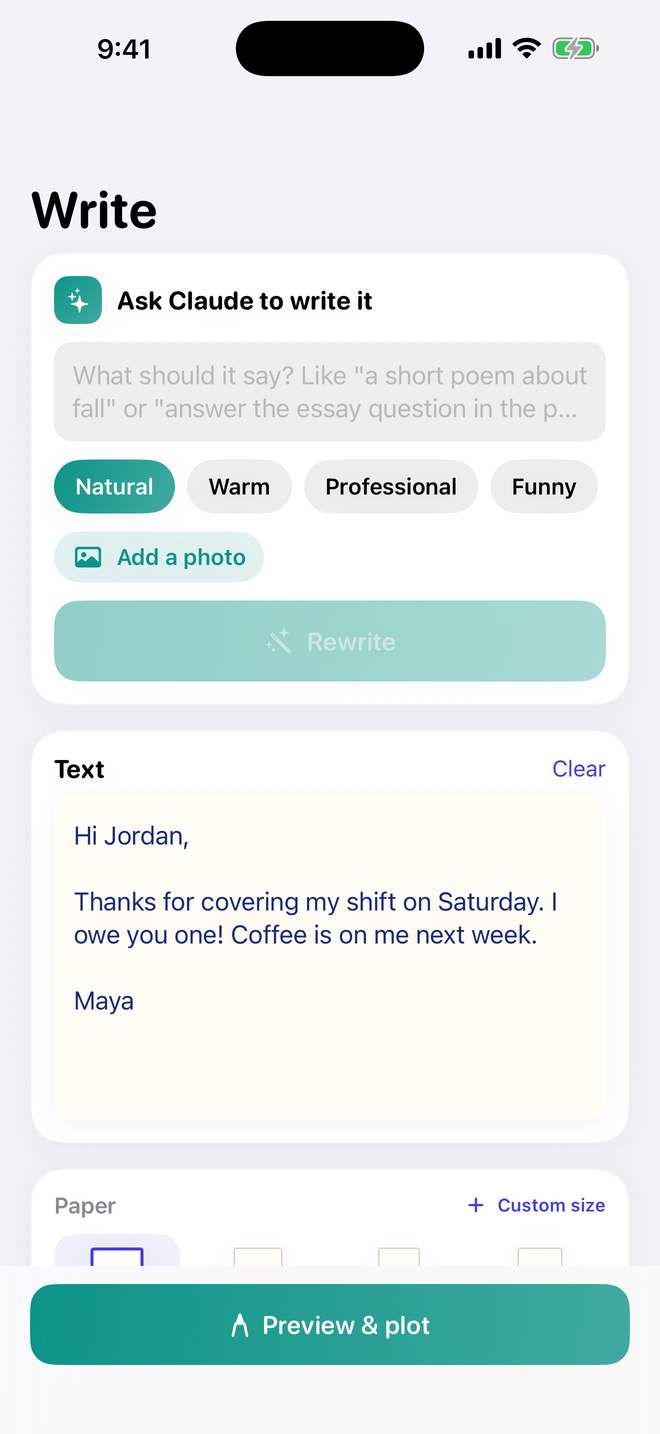
Type anything you want on paper. Or tell Claude what you need, add a photo for reference if it helps, and it writes it for you.

Then pick the paper. Letter, Legal, A4, A5, Half Letter, note cards, greeting cards, index cards, postcards, and envelopes are built in, and you can add your own custom sizes. Plotting text you typed yourself doesn't use any Claude usage.

The Write screen in Inkpilot

Letters

Cards, notes, and envelopes.

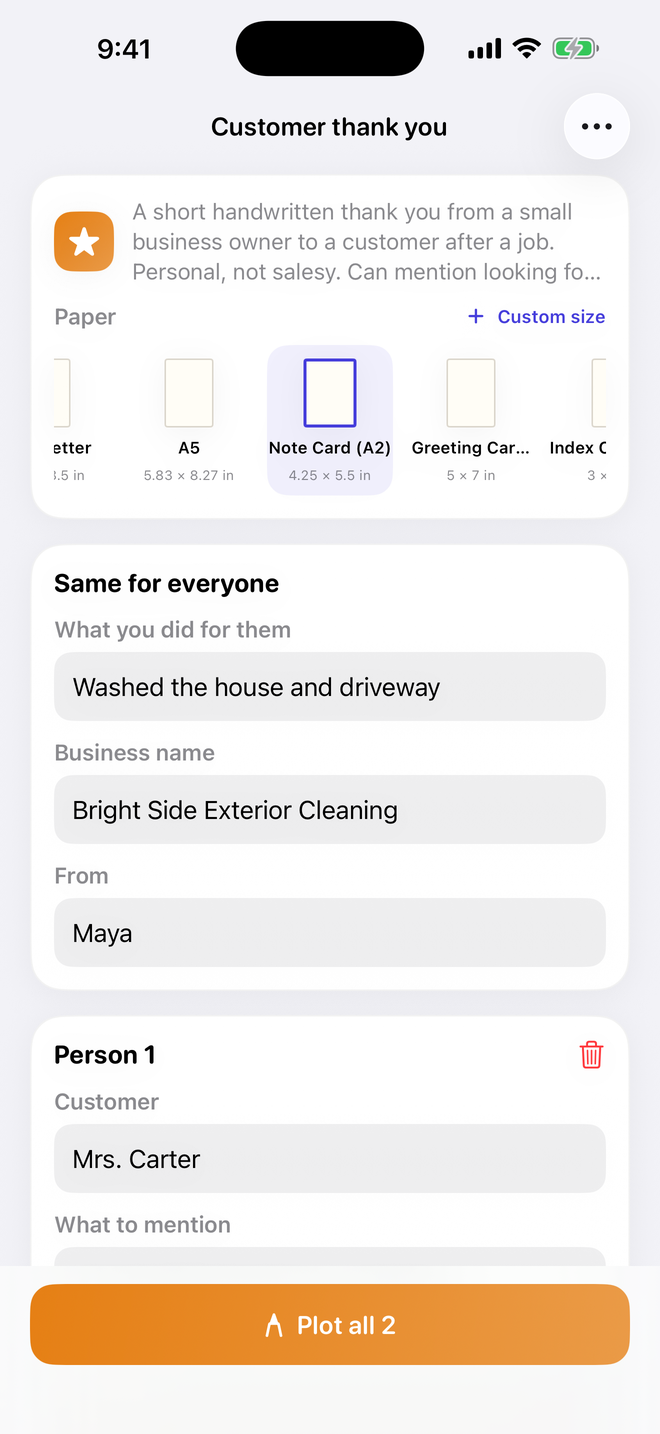
Start from a template like Thank you, Birthday, Holiday card, Invitation, or Cover letter. Fill in a few details and Claude writes it. Send it to one person or a whole list, and address the envelopes while you're at it.

Letters plot upright, the way a normal handwritten letter looks. You can save your own templates too.

The Letters screen in Inkpilot

Chat Paid plans

Claude, right inside the app.

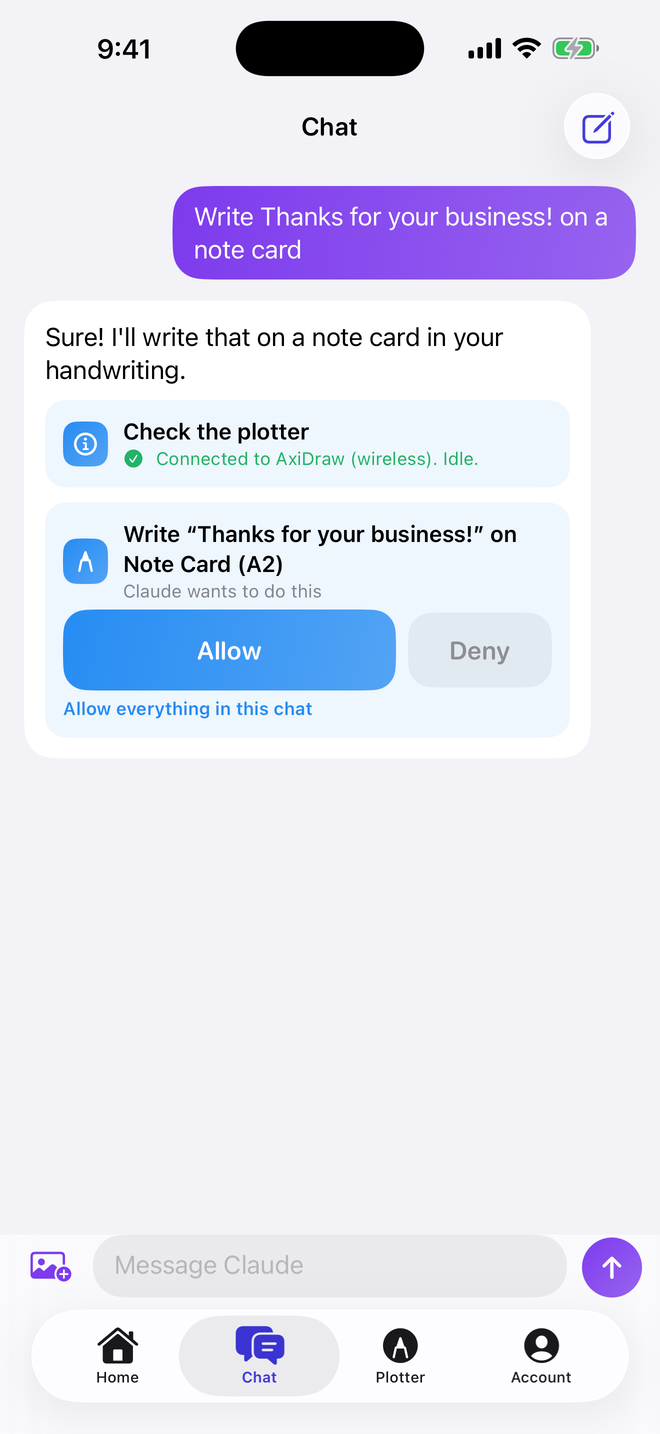
Ask Claude anything, add photos, and send any reply straight to the plotter. Claude can also run the plotter for you, like writing out a note, plotting a test square, or moving the pen.

It asks before it moves the machine. You tap Allow or Deny.

The Chat screen in Inkpilot

My Handwriting

Plot in your own handwriting.

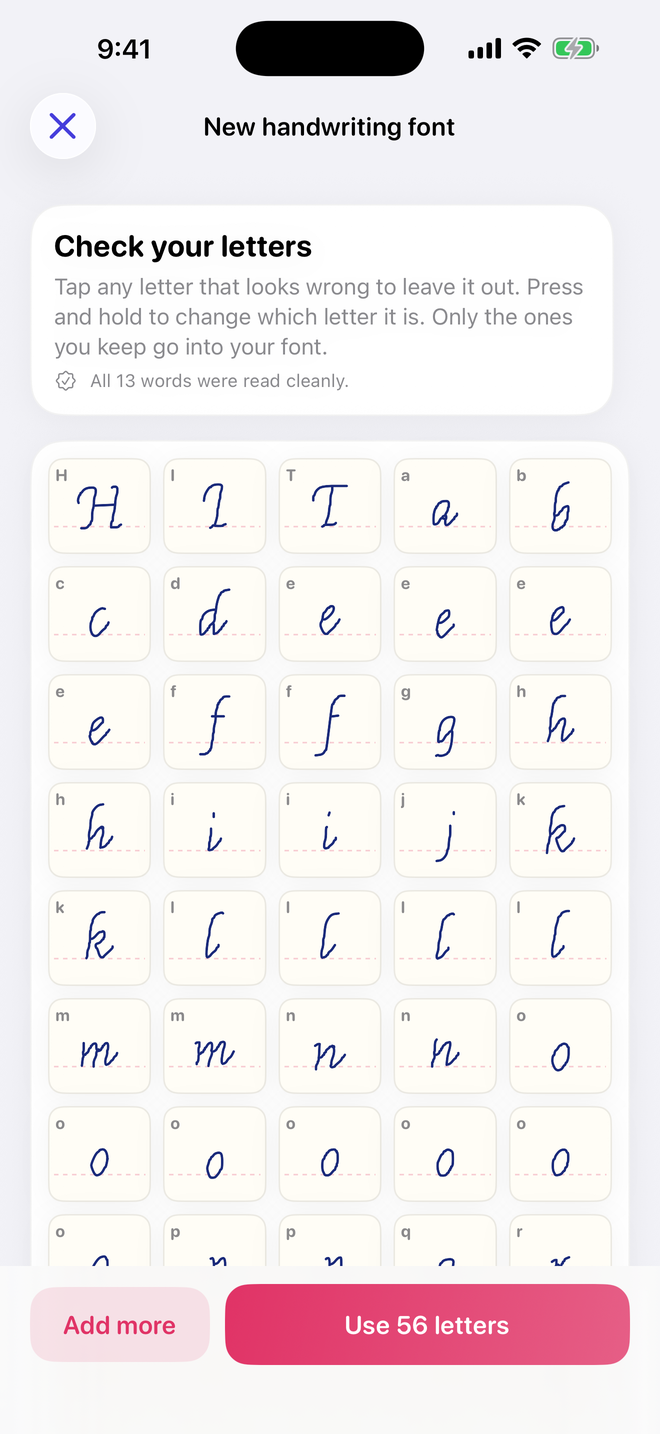
Make a pen font from photos of your old handwriting. Pull them from the camera, Photos, or Files. Google Drive folders show up in Files once the Drive app is on your phone.

For the cleanest font, print the template sheet, fill it in, and scan it. Neat printing works better than cursive. The font is made on your phone, and the photos never leave it.

The My Handwriting screen in Inkpilot

Plotter

Full control of the machine.

  • Pen up and down, plus arrow buttons to nudge the pen
  • Careful, Normal, and Fast speed presets
  • Pen heights use the same numbers as Inkscape's AxiDraw panel
  • Pause, resume, or stop any plot
  • Disconnect lifts the pen and turns the motors off, so you can slide the arm by hand

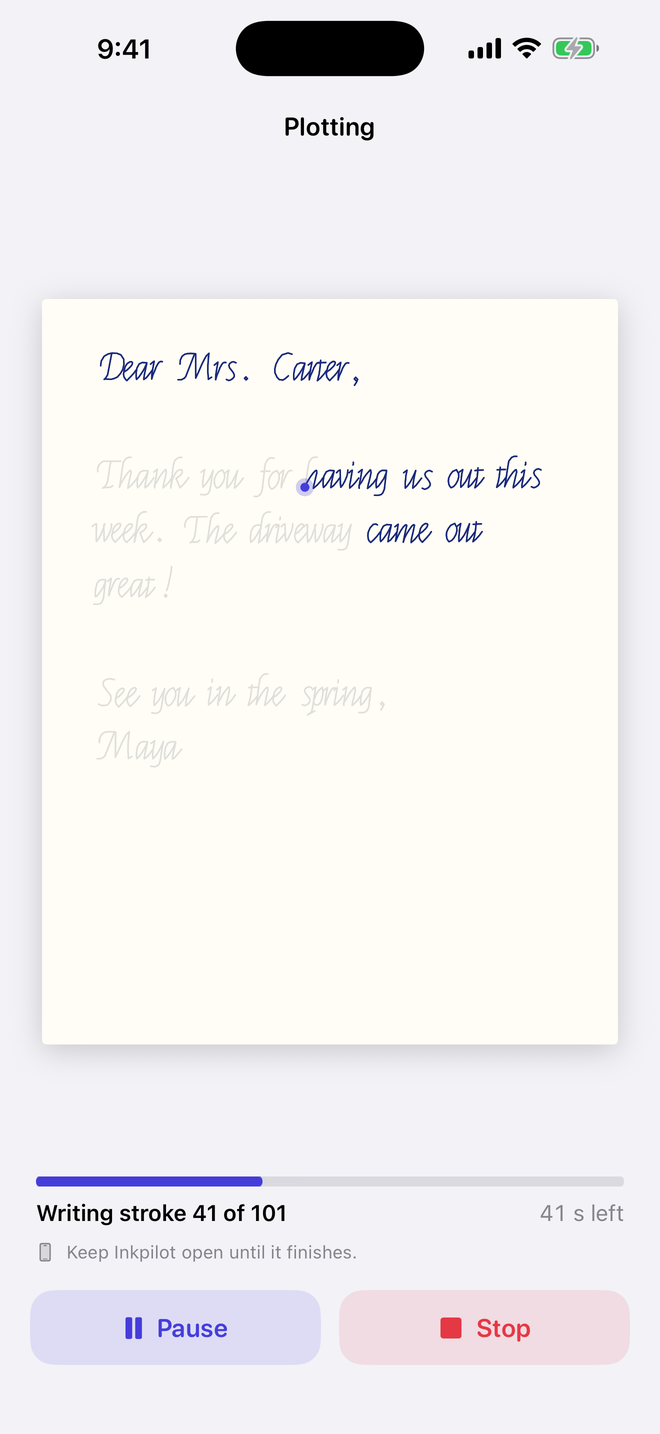
No plotter yet? The built in virtual plotter runs every job on screen, at real speed or up to 12 times faster.

The Plotter screen in Inkpilot

Get the plotter

Don't have a plotter yet? Get Inkplot 2.0 from us. It shows up fully assembled with a power adapter and 3 months of the Inkpilot app free.

Works with a Mac

Pen plotter

$399.99USD

Plug it into your Mac and run the free Inkpilot Bridge. Your iPhone talks to it over the same Wi-Fi. It works with a Mac, not Windows.

Buy the pen plotter

Free shipping on orders over $250, to US addresses. Sales tax is added at checkout.

No computer needed

Wi-Fi model

$549.99USD

The same plotter plus the Inkpilot Wi-Fi box. Your iPhone connects straight to the box, so you never need a computer.

Buy the Wi-Fi model

Free shipping on orders over $250, to US addresses. Sales tax is added at checkout.

How it works

With the Wi-Fi model, your iPhone talks straight to the plotter. No computer needed.

How the Wi-Fi model connects Your iPhone joins the Wi-Fi network made by the Inkpilot Wi-Fi box. The box plugs into the plotter with a USB cable. USB iPhone Wi-Fi box Plotter
  1. Plug it in. Plug the Wi-Fi box into the plotter's USB port. Then plug in the box's power and the plotter's power.

  2. Find the sticker. The box makes its own Wi-Fi network named Inkpilot- plus 4 characters. That name and a QR code are on the sticker on the box.

  3. Join the box's Wi-Fi. Point your iPhone camera at the QR code. Or in the app, open the Plotter tab, tap Connect, then tap Set up a Wi-Fi box.

  4. Connect in Inkpilot. Open the Plotter tab, tap Connect, and tap your box. Then pick Fill, Write, Letters, or Chat and start plotting.

Plot away from home

Your phone talks straight to the box, so plotting works even away from your home Wi-Fi. Plotting doesn't need internet. The Claude features in Fill, Write, Letters, and Chat do.

Or stay on your home Wi-Fi

If you'd rather keep your phone on your home network, the app can put the box on your home Wi-Fi too.

Got the pen plotter?

It plugs into your Mac by USB. The free Inkpilot Bridge runs on the Mac and passes everything to your iPhone over the same Wi-Fi.

Plans

Start free. Upgrade when you want more Claude, or when you want Chat.

Every paid plan starts with a 7 day free trial that includes $5 of Claude usage. After the trial, the plan starts.

Free

Try it out

$0

$1 of Claude usage each month

  • Fill, Write, and Letters
  • Plotting your own text, the virtual plotter, and handwriting fonts
  • Chat isn't included

Plus

For regular use

$49.99a month

$10 of Claude usage each month

  • Everything in Free
  • Chat with Claude, which can also run your plotter

Pro

For heavy use

$99.99a month

$25 of Claude usage each month

  • Everything in Plus
  • Room for big batches of worksheets and letters

Studio

For the most use

$199.99a month

$60 of Claude usage each month

  • Everything in Pro
  • The biggest monthly amount of Claude usage

What's Claude usage?

Every time Claude reads a worksheet, writes something for you, or answers in chat, it costs a little to run. Your plan covers that cost up to the dollar amount shown. Bigger pages and longer chats use more. If you run out, Claude features pause until your usage resets, and plotting keeps working.

Prices are in US dollars. The App Store shows the price for your country before you buy.

Subscriptions are billed through Apple and renew automatically until you cancel. Cancel any time in iPhone Settings > your name > Subscriptions, at least 24 hours before the current period ends. Unused Claude usage doesn't carry over.

Questions

Do I need a computer?

Not with the Wi-Fi model. The Inkpilot Wi-Fi box plugs into the plotter and your iPhone connects straight to it, so you never need a computer. The pen plotter works with a Mac running the free Inkpilot Bridge, and it doesn't work with Windows.

Already have your own AxiDraw? The setup guide shows how to connect it with a Mac or your own Raspberry Pi.

What comes with the plotter?

Both models come with Inkplot 2.0, a power adapter, and 3 months of the Inkpilot app free. The Wi-Fi model also comes with the Inkpilot Wi-Fi box, which has its own power supply. Compare the two.

How much is shipping?

Shipping is free on every order. We ship to US addresses only, and sales tax is added at checkout.

Which plotters work?

Inkpilot is built for the AxiDraw. It has settings for the AxiDraw V3, SE/A4, SE/A3, V3 XLX, MiniKit, SE/A2, SE/A1, and V3/B6. It can also run GRBL and FluidNC pen plotters.

Can I try it without a plotter?

Yes. Open the Plotter tab, tap Connect, then tap Virtual plotter. Every job draws on screen the same way it would on paper.

Do I need an account?

Not for plotting. Typing your own text, the virtual plotter, and your handwriting fonts all work without one. Claude features need a free account.

Does it need internet?

Plotting doesn't. With the Wi-Fi model, your phone talks straight to the box, so you can plot even away from your home Wi-Fi. With a Mac, your phone and the Mac need to be on the same Wi-Fi. The Claude features in Fill, Write, Letters, and Chat need an internet connection.

Can Claude get answers wrong?

Yes. Check every answer before you plot it, and follow your school's or workplace's rules about using AI. If an answer looks wrong or harmful, you can report it right in the app.

What happens to my photos and text?

To get an answer, Inkpilot sends what you give Claude through our server to Anthropic, the company that makes Claude. Our server doesn't keep it. Your handwriting fonts, recent plots, and chat history stay on your phone. There are no ads and no tracking. The Privacy Policy has the details.

Is Inkpilot made by AxiDraw or Anthropic?

No. Inkpilot is an independent app made by Henry MacLane. The AxiDraw is made by Evil Mad Scientist Laboratories, and Claude is made by Anthropic. Inkpilot isn't affiliated with either company, even though we sell the AxiDraw SE/A4 to use with the app.

When can I get it?

Inkpilot is coming soon to the App Store. It runs on iPhones with iOS 17 or later.